
Technology Training
Get Help Navigating the World of Technology

 Need help getting started with your library apps? Drop by during library hours and we’ll walk you through set-up and use.
 Need help with your phone, tablet, or laptop? Drop by the Redwood Coast Senior Center the second Friday of each month, 1-3 pm. Tech helpers from the Mendocino County Library will be available to answer basic questions and provide troubleshooting.
Online Resources for Tech Help
Adult Learning Center : Connect with one of our LIVE experts to learn Microsoft Word, Excel, or PowerPoint.
DigitalLearn : Short courses from the Public Library Association to help you learn computer basics, email, internet safety, mobile devices, and more. Disponible en español.
 Human-I-T: Free online digital literacy program, self-paced computer and internet training, available in both English and Spanish. Sign up for free online or call/text a Digital Navigator at 888-391-7249.
LearnFree.org: Intimidated by computers? New to email or the web? Want to stay safe online or understand how your operating system works? Learn all of this and more with these free, self-guided tutorials.
 Northstar Digital Literacy: Take assessments and lessons to improve your digital skills.
Typing.com : Learn to type faster and easier for free.
Technology Equipment
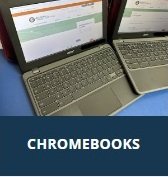 Branch libraries provide equipment to help you develop your technology skills! Branches have public computers, WiFi access, and Chromebooks.
Find affordable service programs – Search by your ZIP code to find affordable internet service and/or computer options in your area. The California Department of Technology provides this information from EveryoneOn as a public service to California residents.